 Corewell Systems
Trade desk, counter, online
Distribution ERP with a built-in POS and online store
One catalogue, one stock pool and one ledger across your trade desk, your counter and your website.
Corewell Trade runs wholesale orders, a point-of-sale till and a consumer storefront as three faces of the same system. Sell a unit anywhere and every other channel knows about it in the same moment.
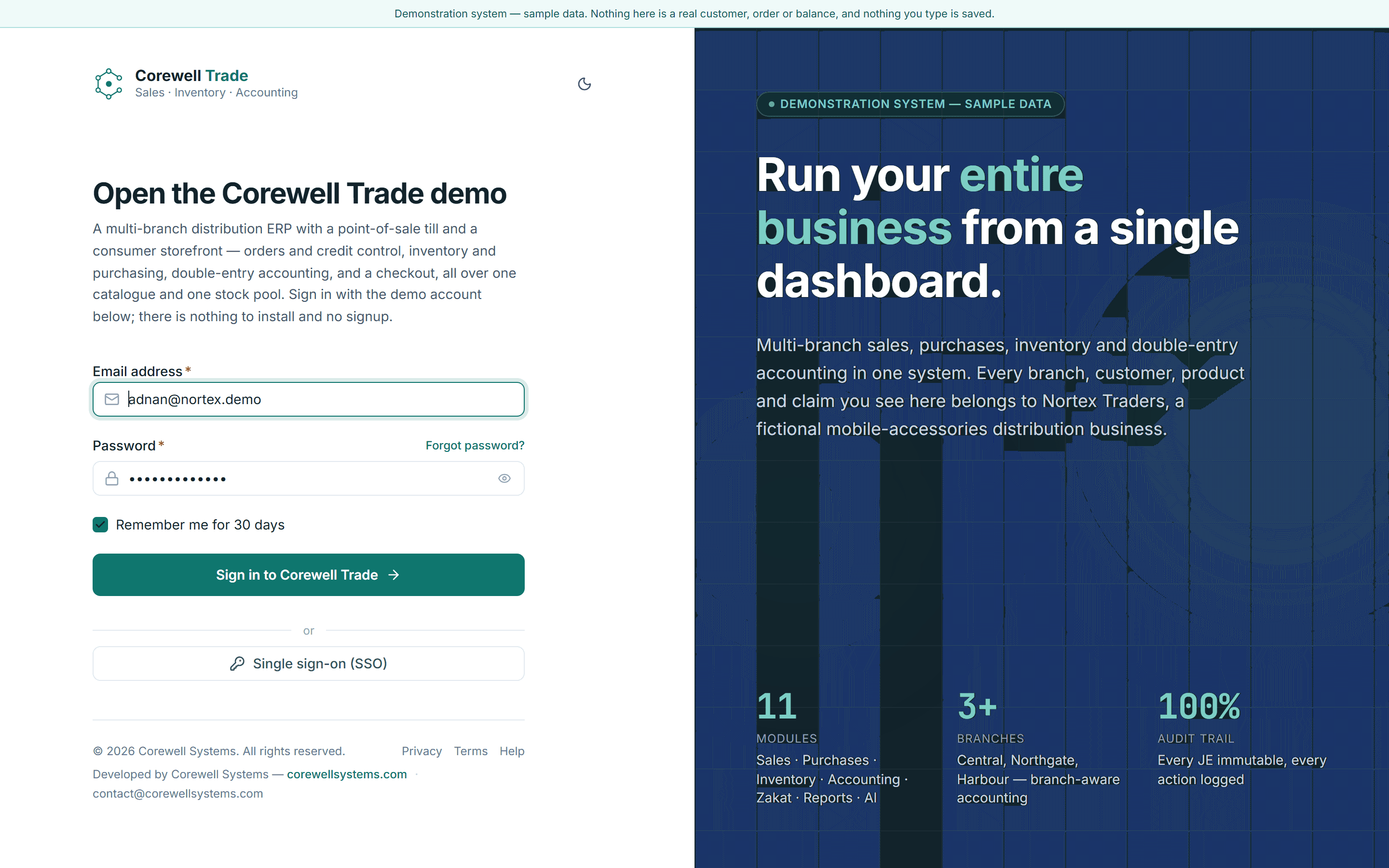
Every screen is open, on sample data. The demo account is printed on the sign-in page.
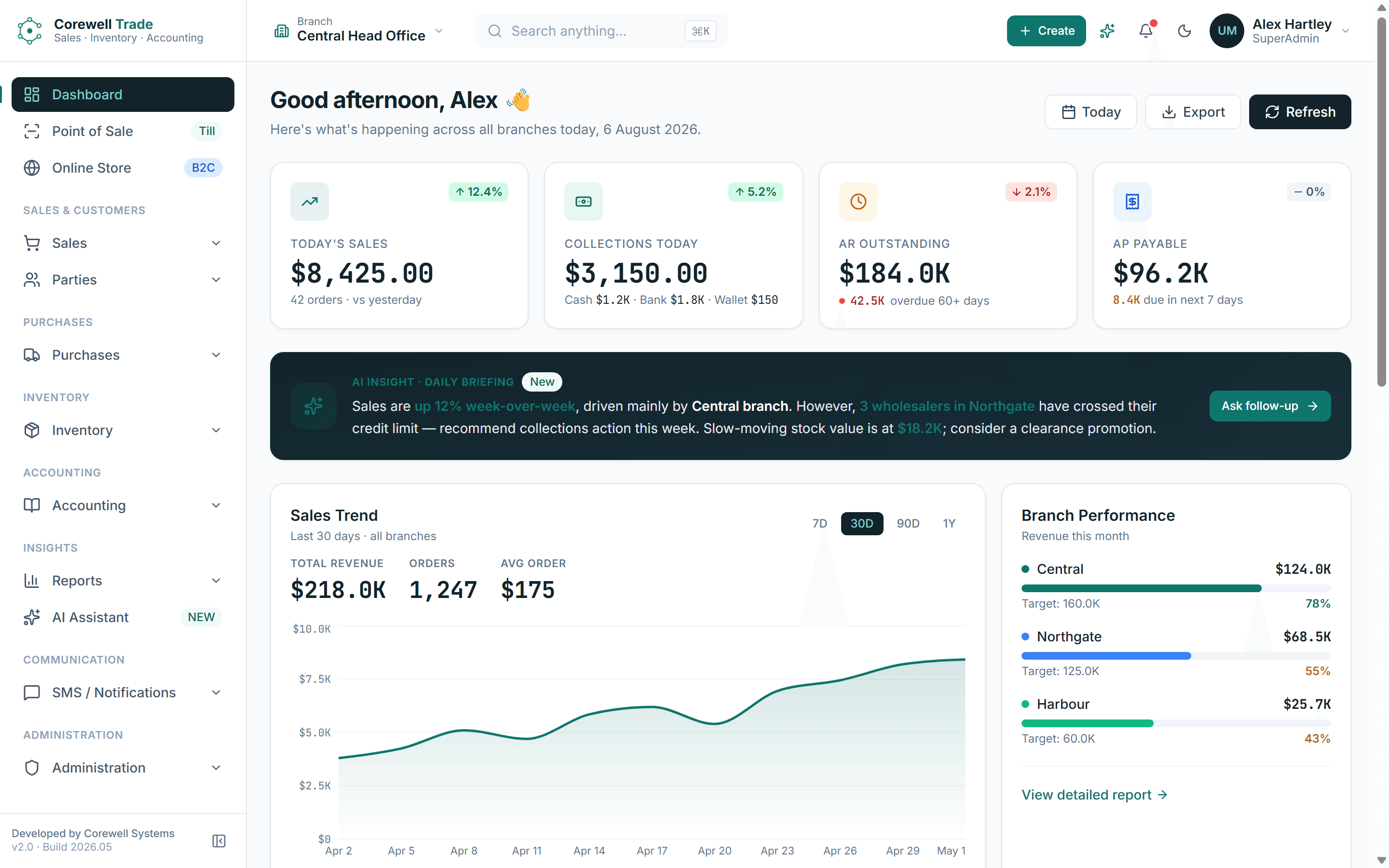
Three systems, three stock numbers
Most distribution businesses did not choose their software. They accumulated it.
A till at the counter, because the counter needed a till. An older package on the trade desk, because that is what the trade desk has always used. A website built later by somebody else, because customers started asking.
Each one keeps its own stock number. Each number is right for about an hour a day: the hour after somebody exports a spreadsheet and imports it somewhere else. In between, the website sells a case that left the building yesterday morning, the trade desk promises a pallet the counter has already broken into, and nobody finds out until picking.
The cost is not the software. It is the phone call afterwards, the credit note, the customer who now checks stock by ringing rather than by ordering, and a month-end where three sets of figures have to be argued into agreement before anyone can close the books.
One catalogue. One stock pool. One ledger.
Corewell Trade does not synchronise three systems. There is only one, and the three channels are ways into it. A product is defined once and priced per channel. Stock is counted once, per warehouse, and every channel draws from that count. Every sale, whether trade, counter or online, posts to the same double-entry ledger as it happens.
Trade desk
Orders on account
POS till
Cash at the counter
Online store
Retail, direct
One catalogue
Defined once, priced per channel
One stock pool
Counted once, per warehouse
One ledger
Posted as it happens
Three ways to sell. One set of numbers.
Three channels, one system
Each channel is built for the people who work in it. What they share is everything underneath.
The trade desk
Selling on account, where the risk is the balance behind the order.
A distribution business sells on credit terms, and the exposure is not the order. It is the balance behind it. Corewell Trade checks credit at the moment the order is entered, not at invoicing when the stock is already on a vehicle. An order that takes a customer past their limit stops and goes to a credit hold queue, where whoever carries that authority can see the exposure and release it or hold it.
Customers and suppliers are one party model, so a business that buys from you and sells to you has one record and one net position rather than two files that disagree. Orders move through a status chain from draft to delivered with the activity trail attached. When stock runs short the shortfall becomes a backorder rather than a deleted line, and the arriving purchase order is what releases it.
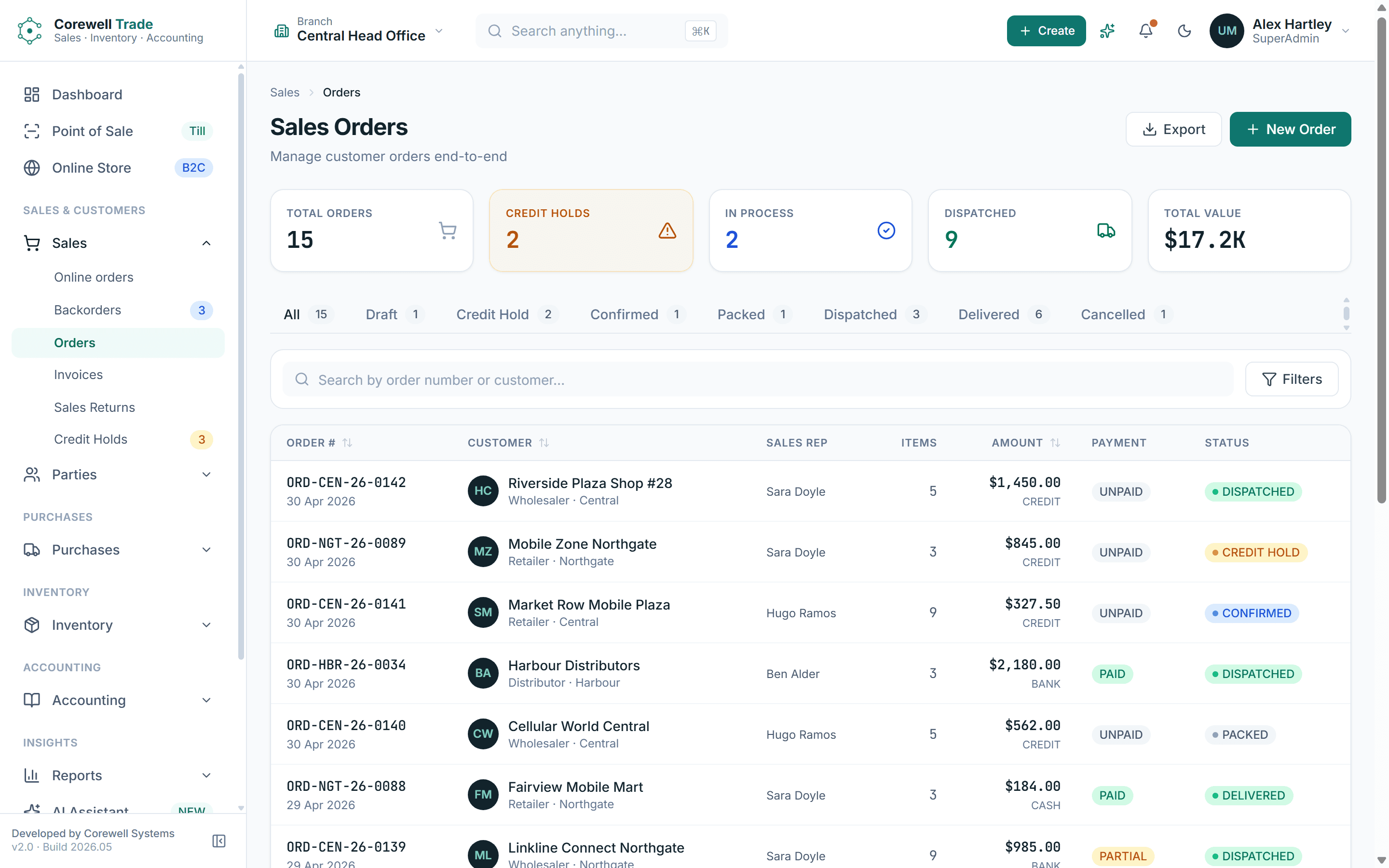
Order book across every branch
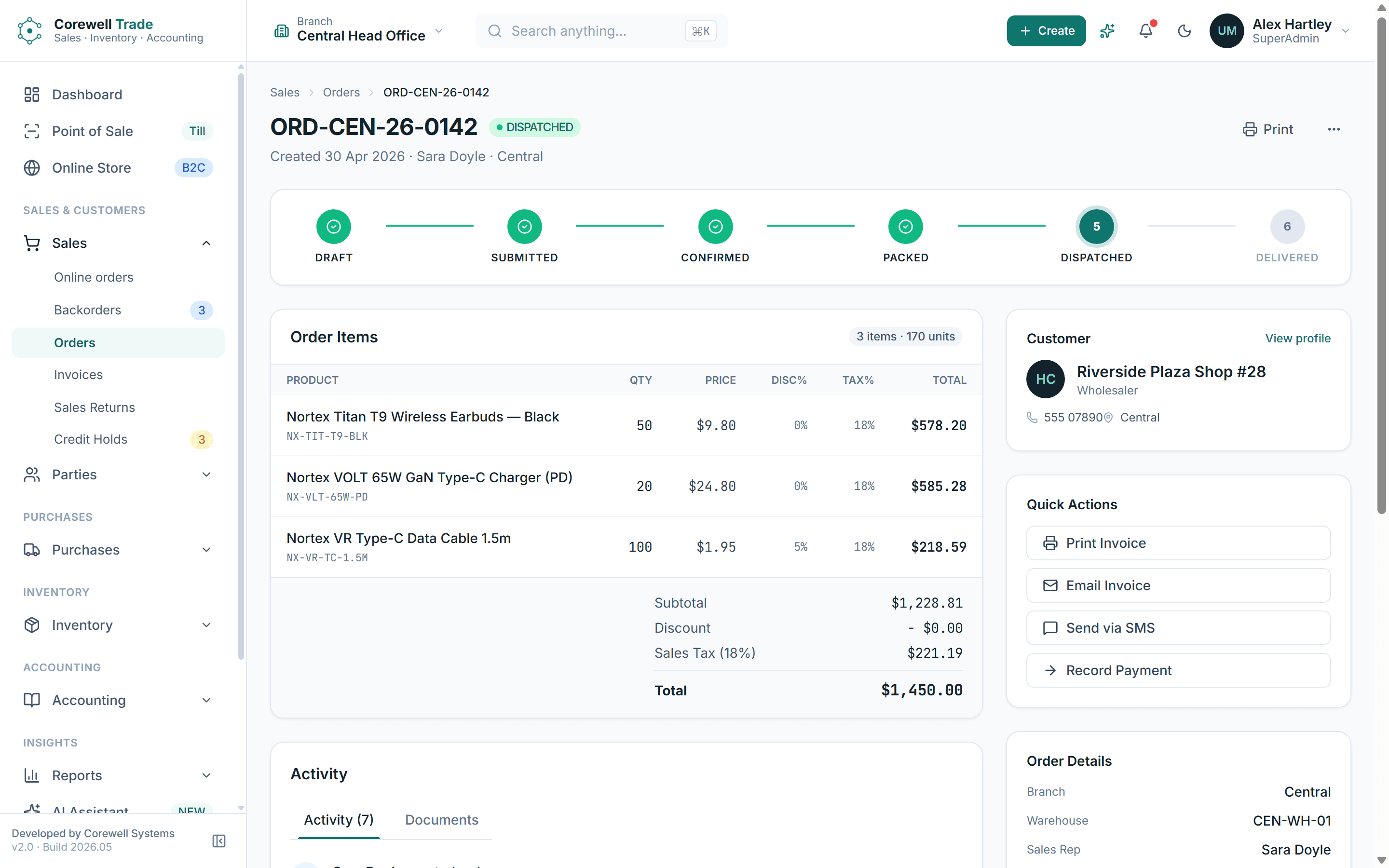
One order, draft through delivered
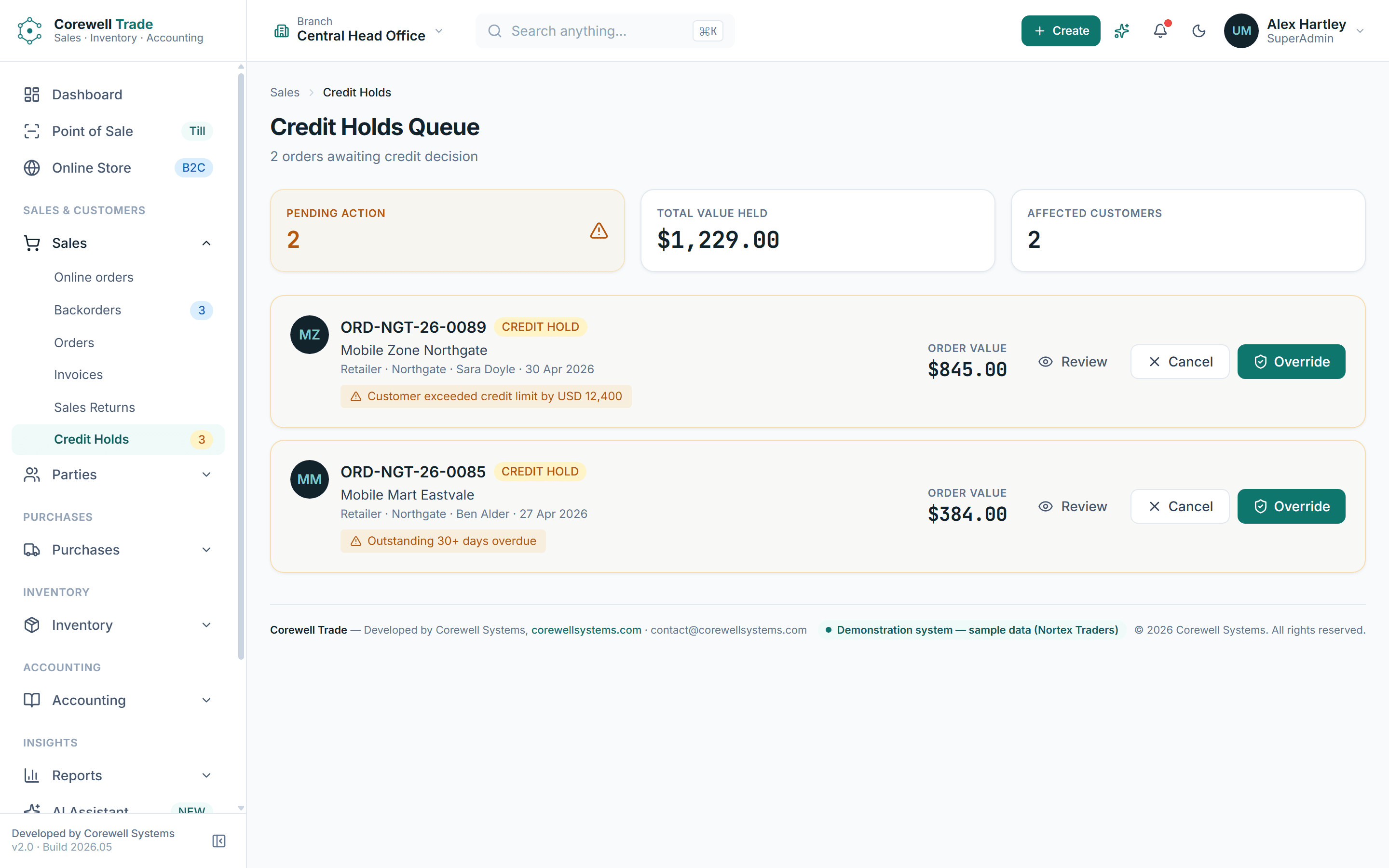
The credit hold queue
Everything in it
What is in the system
The whole of it, not a selection. If the module your business cannot do without is missing from this list, it is missing from the software.
Inventory
- Products
- Categories
- Brands
- Units of measure
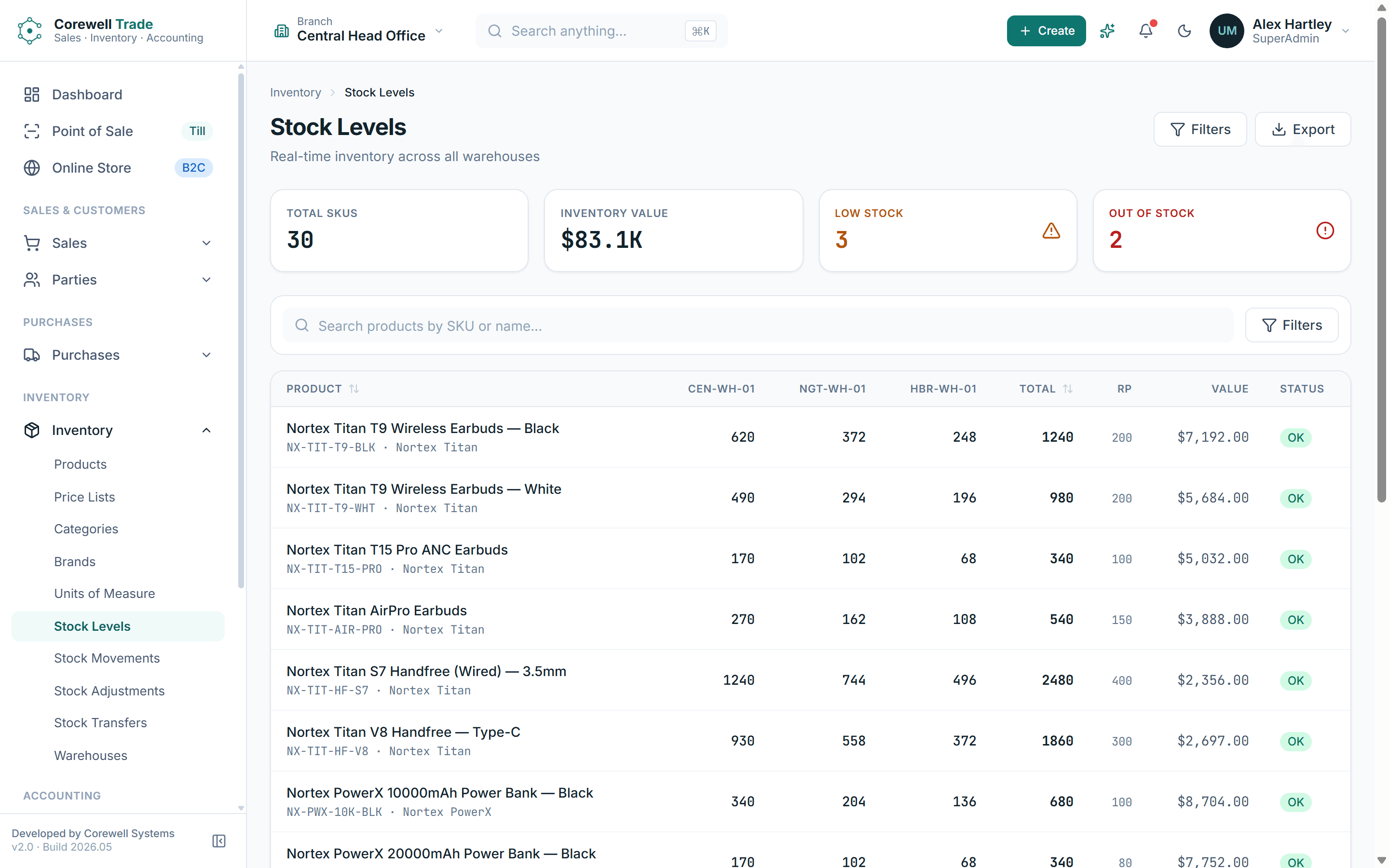
- Stock levels
- Stock movements
- Adjustments
- Branch transfers
- Warehouses
- Price lists
Purchasing
- Purchase orders
- Goods receipts
- Purchase invoices
- Purchase returns
- Supplier ledger
Sales
- Sales orders
- Invoices
- Sales returns
- Credit holds
- Backorders
- Online orders
Accounting
- Chart of accounts
- Journal entries
- Vouchers
- Expenses
- General ledger
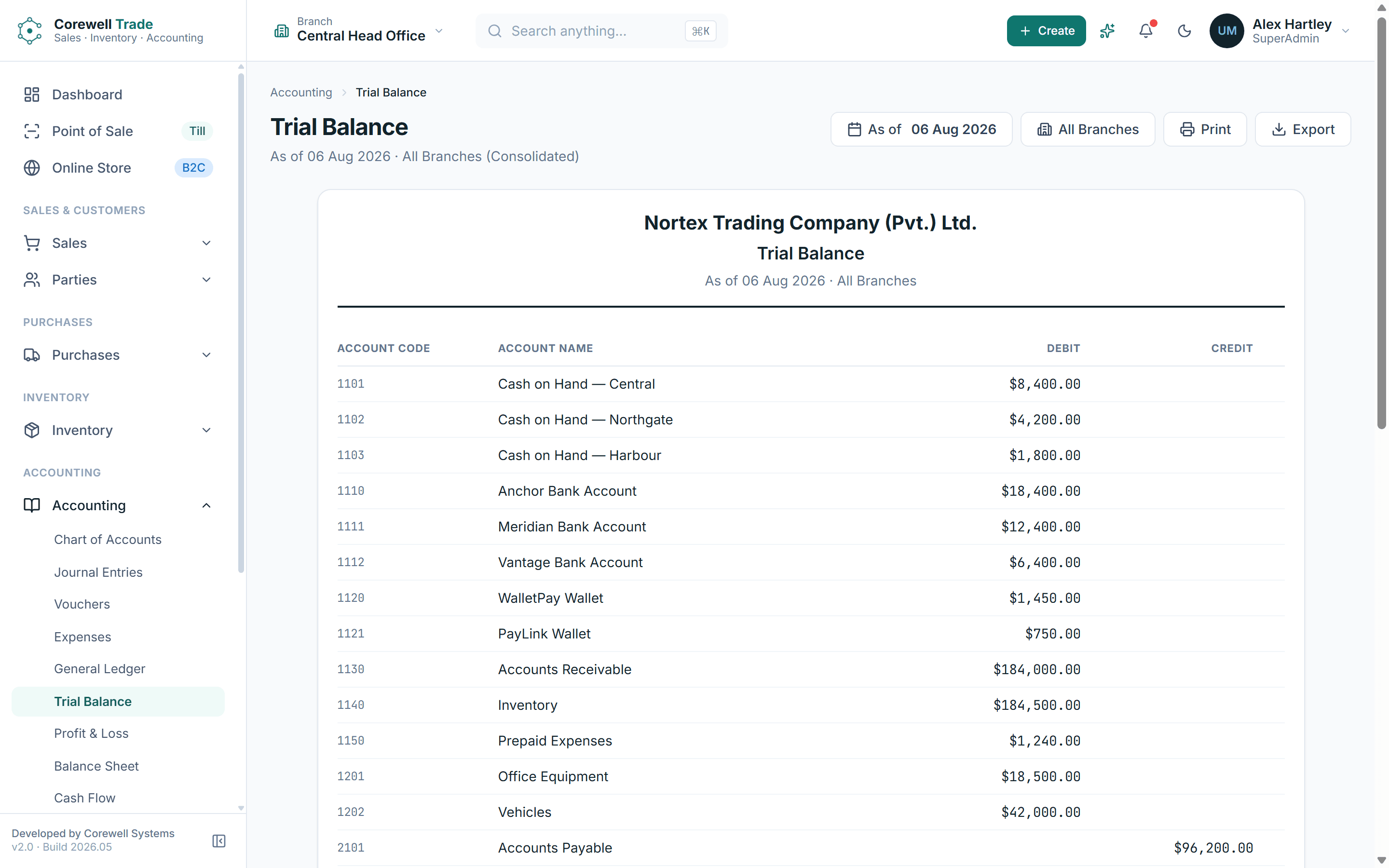
- Trial balance
- Profit and loss
- Balance sheet
- Cash flow
- Bank reconciliation
- Period close
Reports
- Sales summary
- Sales by product
- Sales by salesperson
- Top customers
- Sales trends
- Purchase summary
- Inventory valuation
- Slow moving
- Dead stock
- AR and AP aging
- Customer statements
- Supplier ledgers
Administration
- Users
- Roles and permissions
- Branches
- Audit log
- Backup and restore
- Notification templates
Open it and look around
There is no form in front of the demo. Sign in with the account printed on the sign-in page and every screen is open: enter an order, take a payment at the till, buy something from the storefront, run the trial balance.
The data is fabricated and nothing you type is kept.
Under the hood
For anyone evaluating the engineering rather than the workflow.
The application is TypeScript throughout: a Next.js front end over a NestJS API, with PostgreSQL underneath and Prisma between them. Every screen is typed against the same contract the API publishes, so a field cannot quietly mean two different things in two places.
Access is by role, and the permission matrix is granular enough to keep a counter user out of the ledger and a branch user out of another branch's figures. Actions that change money or stock are written to an audit log with the user, the time, and the before and after. Backup and restore are in the admin area rather than in somebody's cron job.
It is built to run on your own infrastructure or on ours. More about how we build.
The comparison
Against an off-the-shelf suite
A general ERP suite is built to be configured into any business, which is why implementing one is a project of its own. The modules are broad, the parts you need are spread across several of them, and the parts you do not need are still in front of your staff every day. What you adapt is your operation, and you keep adapting it for as long as you own the software.
Corewell Trade starts from the opposite end. It is a distribution system with the counter and the storefront already in it, so the three channels are not an integration project. Where it does not match how you work, it is changed. The source is ours to change, and the system belongs to the business running it.
- Odoo alternatives: when a custom ERP makes senseWhere a configurable suite stops paying for itself, and what replaces it.
- Wholesale distribution software: what it should doThe operational checklist, from credit control to backorders to landed cost.
- What is an online POS system?What connects a till to the rest of a business, and what a disconnected one costs.
- Selling online without breaking your shop stockWhy a storefront on a separate stock number oversells, and the fix.
Who it is for
Wholesale distributors
Selling on account, on credit terms, from stock.
Importers and traders
Long lead times, landed cost, and money tied up in stock that has not arrived yet.
Multi-branch retailers
Several counters and warehouses that need to behave as one business.
Trade and direct together
The same catalogue at two prices, without two systems.
Straight answers
Questions buyers ask about Corewell Trade
The objections that come up in the first conversation, answered before it.
Is this one system or three products?
One system. The trade desk, the till and the storefront are three interfaces over the same catalogue, the same stock and the same ledger. Nothing is synchronised between them because there is nothing to synchronise.
Does the online store share stock with the counter?
Yes. Every channel draws from the same stock pool, so a unit sold at the counter is no longer available online, and an online order reduces what the trade desk can promise.
Can it run more than one branch or warehouse?
Yes. Stock is held per warehouse, branches transfer between each other, and users can be scoped to a branch. Reporting can be read per branch or across all of them.
How does credit control work?
Credit is checked when the order is entered. An order that would take a customer past their limit is held and queued for whoever has authority to release it, rather than being discovered at invoicing when the goods are already loaded.
Is the accounting real, or does it export to something else?
It is real double-entry accounting inside the system: chart of accounts, journals, vouchers, general ledger, trial balance, profit and loss, balance sheet, cash flow, bank reconciliation and period close. Sales, purchases and till takings post to it as they happen.
Can we use our existing barcode scanners?
The till reads barcodes through its search field, which is how a keyboard-wedge scanner, the common counter type, sends them.
What happens to the products, customers and balances we already have?
They are migrated as part of the implementation. Existing product records, parties and opening balances are brought across so the system starts from where the business actually is.
Can it be changed to fit how we work?
Yes, and that is the point of it. Corewell Trade is built and maintained by us, so a process that differs from the default becomes a change to the software rather than a workaround your staff perform every day.
Where does it run?
On your own infrastructure or on cloud infrastructure we manage, with backup and restore built into the admin area either way.
What does it cost?
It depends on the size of the operation, the number of branches, and how much of it you need changed. Book a consultation and you will get a scoped figure rather than a range.
One system for the whole operation
Tell us how your business sells today, and we will tell you honestly whether this fits.