 Corewell Systems
Retail & Shop Management
Point-of-sale, inventory, and multi-location reporting that keeps a retail business running without the spreadsheet chaos.
The operational problem
Retail margins die quietly: stock that ran out yesterday, a price changed in one branch but not the other, sales totals reconciled from paper at midnight. The spreadsheet holds, right up until the day it doesn't. A connected POS and inventory system counts, prices, and reports in real time, across every location. We have designed this system in full, including a distribution-scale variant covering purchasing, warehouses, and accounting, and we offer it as a custom build.
What the system covers
- Point-of-sale
- Inventory
- Multi-location reporting
How the system connects
- Product
- Inventory
- Sale
- Receipt
- Report
Retail & POS: Design Preview
Try our point-of-sale and inventory design the way staff would use it on the floor: a prototype on sample data, not a deployed installation.
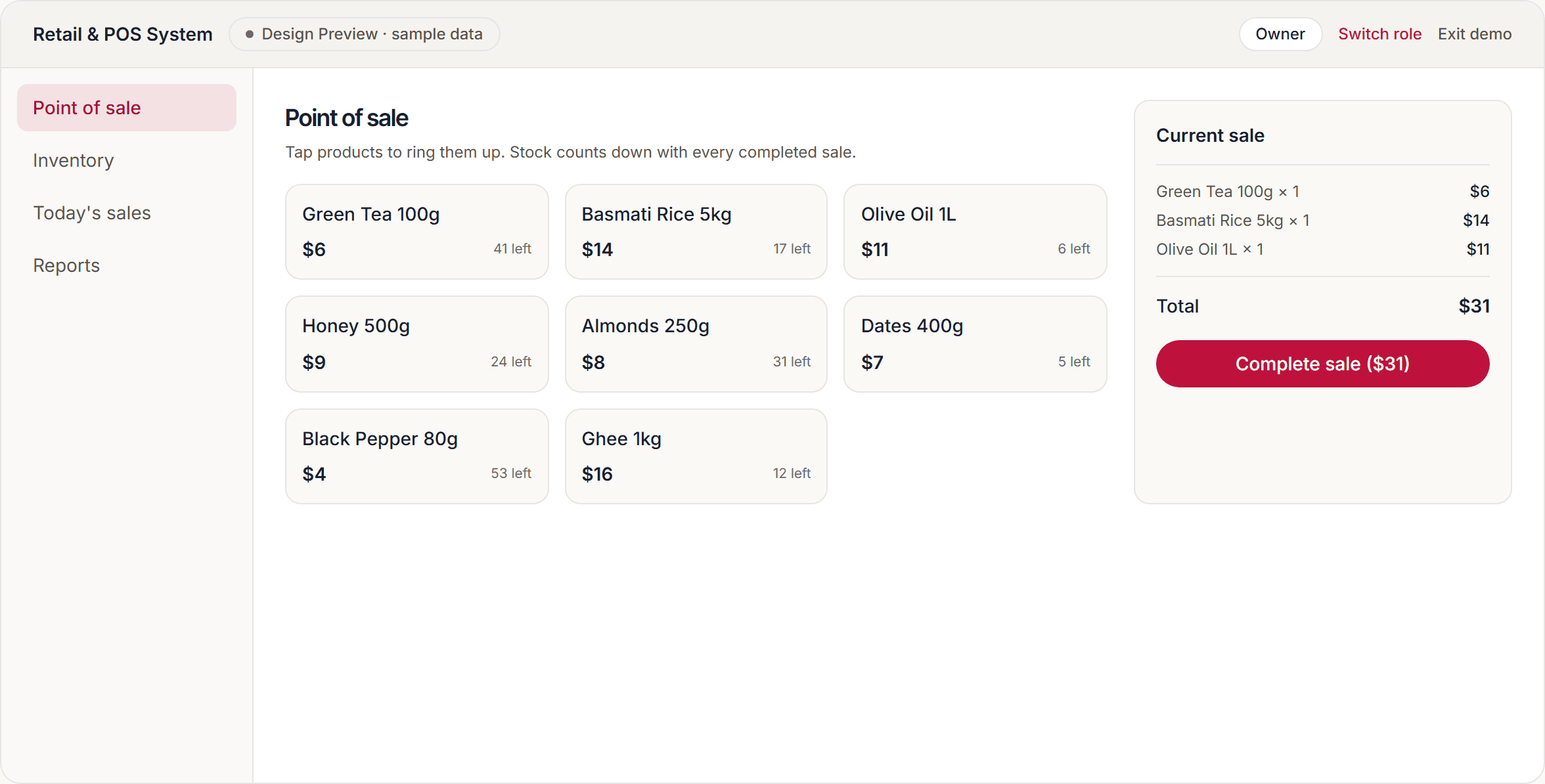
Open it now, with no signup and no credentials.
Choose a role and explore our design on sample data. Building it for your organisation is a custom engagement.
Or read what the full system does: Corewell Trade.
Proof, not promises
Twelve branches closed each day on paper and phoned the totals to head office. A connected POS and inventory system puts every sale, transfer and price change into one live count.
Read the a regional retail chain case studyStraight answers
Retail & Shop Management software, answered plainly
The questions we get asked before anyone books a call. Short answers, no hedging.
Is this a working system or a design?
A design. We have designed point-of-sale and inventory management in full, including a distribution-scale variant covering purchasing, warehouses and accounting, and built it as a working prototype you can try here. It is not a deployed installation. Building it for your business is a custom engagement.
Can it handle more than one shop?
Yes, and that is usually the reason to move off spreadsheets. The design covers stock per branch, transfers between branches, prices set centrally and applied everywhere at once, and reporting that shows each branch separately and the business as a whole.
What stops us running out of stock without noticing?
Every sale adjusts stock as it happens rather than at a midnight count, and items falling below their reorder level surface themselves as alerts instead of waiting to be discovered by a customer.
Can we start with one shop and grow into it?
Yes. A system built around your workflow can begin with the counter and inventory and add branches, purchasing and accounting as the business needs them, which is usually cheaper than paying for a platform sized for a business you do not have yet.
More on retail & shop management software
- What Is an Online POS System, and Does Your Shop Need One?What separates an online POS from a cash register, the features that decide whether it survives a busy counter, and the offline question to ask before buying.
- How Do You Sell Online Without Breaking Your Shop's Stock?Adding an online store to a business that already sells over a counter: why the stock number is the hard part, and what the warehouse has to do differently.
- What Should Wholesale Distribution Software Actually Do?What decides whether a distribution system holds up: credit control at order entry, one stock pool across every channel, accounting that posts itself.